

Heurio logo×Lovable logo

Heurio for Lovable

The review layer your Lovable apps were missing

Lovable ships in minutes. Heurio is the review layer — Figma-style comments and bug reports on the live URL.

Why Heurio

Why teams shipping with Lovable use Heurio

  • lovable-app.preview
    01/03

    Pin a comment on the exact element of your Lovable site

  • Manage members
    Members
    Share link
    • YouAlex MorganOwner
    • CChris WebbEditor
    • JJordan LeeEditor
    • SSarah MillerEditor
    Save
    02/03

    Collaborate with your team without a Lovable account

  • ToDo3
    Hero padding off
    14
    Rename CTA copy
    11
    Mobile spacing
    12
    In progress2
    Footer link fix
    8
    Mobile spacing
    12
    Done1
    Mobile spacing
    12
    03/03

    Keep every issue on track with a built-in Kanban board

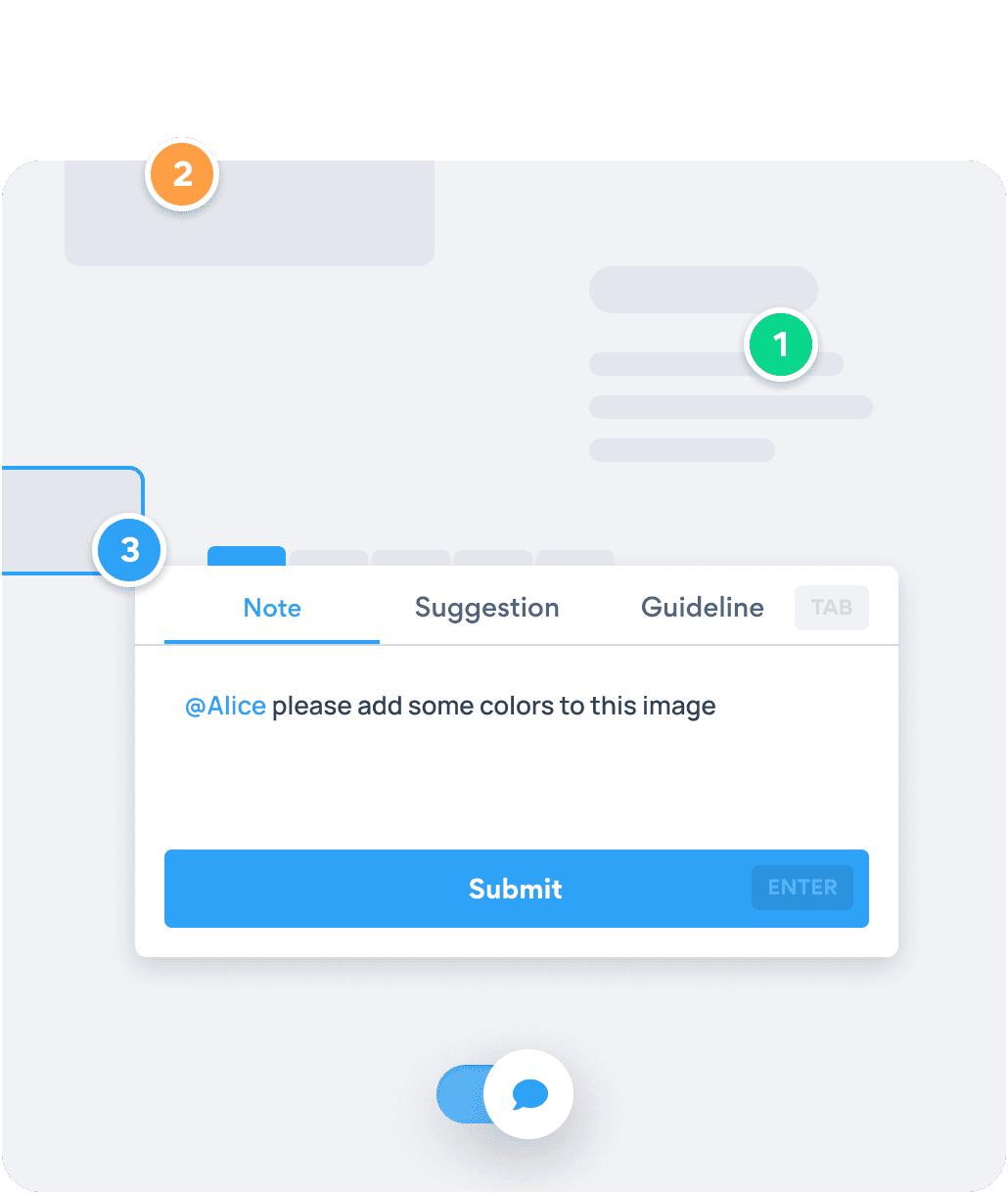
Pinning a comment on a live website with Heurio.

Every comment carries the screen size, browser, and DOM selector

Click the broken element on the live Lovable URL. Heurio attaches the screen resolution, browser version, and DOM path automatically — your developer or AI builder sees exactly which node is wrong, no "section above the testimonials" ambiguity.

Get started - It's free
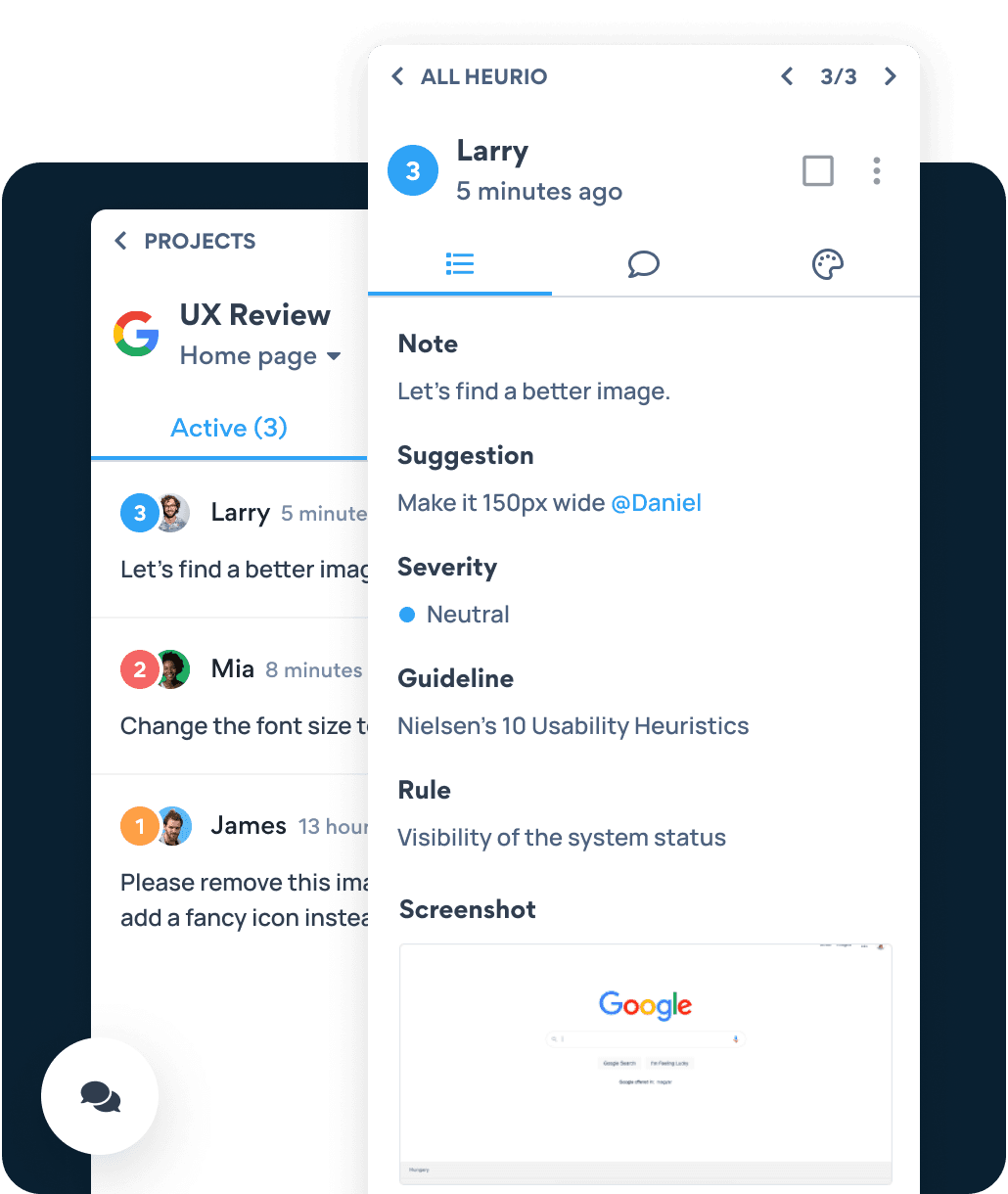
Heurio Kanban board organizing comments by status.

Turn scattered Slack feedback into one shared list

Every pinned comment lands in a Kanban board your team can prioritize. Replace screenshot threads, voice memos, and "can you re-record that?" with a single shared link.

Get started - It's free
What you get

Three reasons teams ship Lovable apps with Heurio

  1. 01

    Works on any Lovable URL

    Heurio is a Chrome extension, so it runs on whatever Lovable publishes — preview links, custom domains, or your live app. No SDK to install, no auth handshake.

  2. 02

    Clients review without a Lovable account

    Share one URL. Reviewers install the Chrome extension and leave feedback in context — they never need a Lovable account, and you don't lose them to a signup form. Perfect for handoff, stakeholder review, and pre-launch QA.

  3. 03

    Resolve, then re-prompt with confidence

    Mark issues as fixed once Lovable ships an update. Re-run the same review on the next build to confirm everything is shipped — no regressions, no "I thought you fixed that".

Six-step process

How to review your Lovable app with Heurio

Six steps to turn a freshly built Lovable app into a stakeholder-ready review session — using the Heurio Chrome extension on the live URL.

  1. Open your published Lovable URL in Chrome

    Whether it's a Lovable preview link or a custom domain, navigate to the page you want feedback on. Heurio works on whatever URL Lovable serves.

  2. Activate Heurio's Comment View

    Click the Heurio icon in the Chrome toolbar and switch to Comment View. The page becomes annotatable, like a Figma frame.

  3. Pin a comment on every issue you see

    Click the exact element that needs attention — a misaligned card, off-brand color, broken hover, missing copy — and write a clear note. Add a screenshot or a suggestion the AI builder can act on next round.

  4. Share the project link with your team or client

    Send one URL. Reviewers open the same Lovable page with Heurio installed and see every pinned comment in context. No accounts, no Loom recordings.

  5. Re-prompt Lovable with the consolidated feedback

    Use Heurio's comment list as your next prompt to Lovable. Copy the exact issues, paste them into your AI builder, and ship the fixes.

  6. Mark issues as resolved on the next deploy

    When Lovable redeploys, re-open the same Heurio project. Tick off the resolved items, flag what still needs attention, and tighten the loop.

Frequently asked questions

Web teams love Heurio.

  • 30,000+ users worldwide
  • 5 star rating
  • Works on any website
Chrome Web Store

As a designer I find it particularly helpful to receive feedback from my team as well as provide feedback to the devs. You can comment right on the object you're referring to making it easy to communicate tasks. No need for complicated tickets or documents.

Chris Leyva

Chrome Web Store

Great tool to share insights with different teams, without the annoyance of sending tons of print screens and other attachments.

Juliana Pisaneschi

Heurio works on every vibe coding platform

One Chrome extension. Any AI builder’s output. Comment on the live URL like a Figma file.

Ship your Lovable apps with confidence.

Cookies on Heurio

We use cookies to run this site and, with your permission, to understand how it's used and show relevant ads. Necessary cookies are always on. You can change your choice anytime from the footer. Learn more